First-Hour Checklist for a Security Incident
What to do in the first hour after a suspected security incident: confirm it, contain it, keep the evidence, and tell the right people.
The first hour of a security incident is usually messy. Someone reports a strange login, a ransom note, or files that suddenly look wrong, and everyone wants to act at once.
Some quick reactions make things worse, like wiping the infected laptop before anyone has looked at it, or discussing the incident over the same email system the attacker may be reading. This checklist keeps the first hour calm and in the right order.
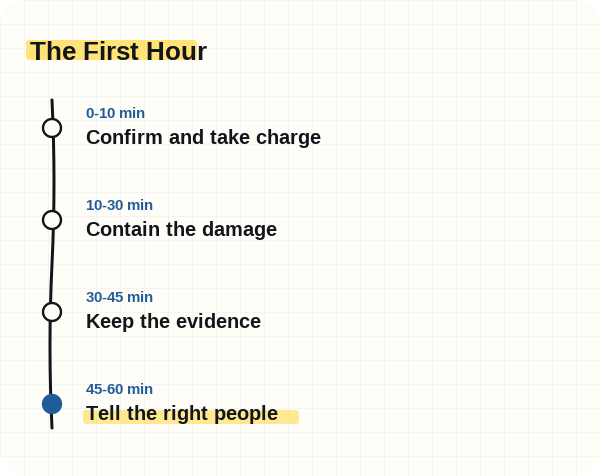
0–10 Minutes: Confirm and Take Charge
- Get the basics from whoever reported it: what they saw, when, and on which device or account
- Check whether it's real: alerts, logs, other users seeing the same thing
- Name one incident lead who makes the decisions and keeps the timeline
- Start a log, with a timestamp for every action and decision
- Move the response team to a channel outside the affected systems, such as a phone bridge or a separate chat group
10–30 Minutes: Contain the Damage
- Disconnect affected devices from the network, but keep them powered on
- Disable or reset compromised accounts, and end their active sessions
- Block known bad IP addresses, domains and email senders
- Check privileged accounts for recent changes or unusual logins
- If ransomware is possible, protect the backups first: disconnect or lock them so they can't be encrypted too
30–45 Minutes: Keep the Evidence
- Don't wipe, rebuild or restore anything yet
- Save logs that may be overwritten soon: firewall, VPN, email, endpoint and identity logs
- Take screenshots of ransom notes, alerts and suspicious messages
- Write down who touched which system, and when
45–60 Minutes: Tell the Right People
- Brief IT management and the system owners: what happened, what's affected, and what's been done so far
- Bring in legal, compliance and data protection if personal or customer data may be involved
- Check the reporting deadlines that apply to you, for regulators, customers or insurers. Some are counted in hours from the moment you become aware of the incident.
- Tell staff only what they need to know, for example "don't open emails from this sender" or "don't log in to this system for now"
- Agree when the next update to management will be
After the First Hour
Next come investigation, removing the threat and recovery. For updates to users, the incident communication template works for security incidents too, with fewer technical details. Once things are stable, review what happened with the postmortem template.